💡 Day One on Cursor — Planning Before Coding

Day one on Cursor, I literally said:
“Don’t code until I give you my green light.” 😄
That was my first pain point — I wanted AI to plan first, act later.
At the time, I was deep in Home Assistant YAML configs — the messy kind:
2,000-line files full of sensors, scenes, automations, and switches.
Every change felt like defusing a bomb.
I wanted help organizing, but not a co-pilot that rewrote everything blindly.
I wanted it to think first, then act — like a good engineer.
🧩 When AI Starts Thinking Like an Engineer
Fast forward to today — and Cursor just shipped Plan Mode.
It’s exactly what I imagined that first day.
Before writing a single line, Cursor pauses.
It lays out a clear plan:
- what it will modify
- why it’s doing it
- and how those changes affect the codebase
Only after I approve does it execute.
That’s not just a UX tweak —
that’s a shift in philosophy: from autocomplete to collaborator.
⚙️ My Test Case: Home Assistant Chaos
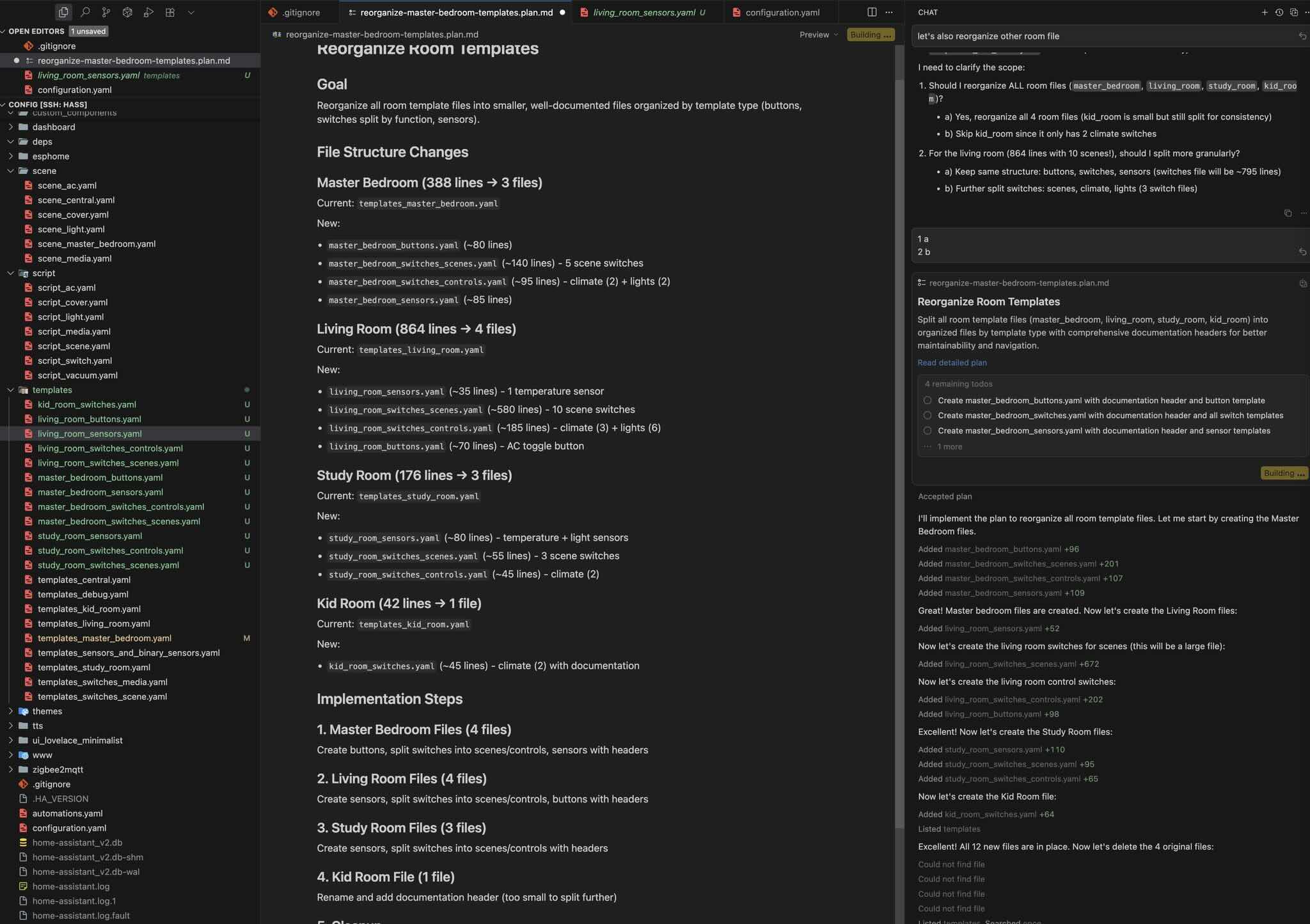
The screenshot I shared shows Cursor methodically reorganizing my Home Assistant templates:
splitting sensors into logical groups, refactoring repetitive YAML blocks, and adding comments.
It’s small, but powerful — the difference between an assistant that guesses,
and one that shows its reasoning.
When AI outlines a plan and waits for human sign-off,
it moves from fast coder to engineering partner.
That’s the future.
🚀 Why This Matters
Most developers don’t need AI that types faster.
We need AI that thinks better —
that helps structure ideas, refactor chaos, and reason about systems.
Plan Mode hints at that next step:
a workflow where humans and tools share intent before action.
It’s not just faster coding —
it’s smarter delegation.
❤️ The Direction Feels Right
I’ve used every AI coding tool out there,
but this one hits differently —
because it feels designed for how engineers actually work:
think → plan → build.
Absolutely love this direction.